Managing Your Profile in ZipTier
Profile Management in ZipTier helps you keep your personal and company information accurate and up to date. This ensures smooth communication, proper billing, and compliance with organizational requirements.
This guide covers how to access profile management, update your personal details, manage company information, and follow best practices.
Accessing Profile Management
- Click your profile avatar/initials in the top-right corner of any page.
- Select Settings from the dropdown menu.
Profile Tabs
The interface is organized into three tabs:
- User Profile – your personal user information
- Company Profile – organization-wide settings
- Password Settings – change your account password
User Profile Tab
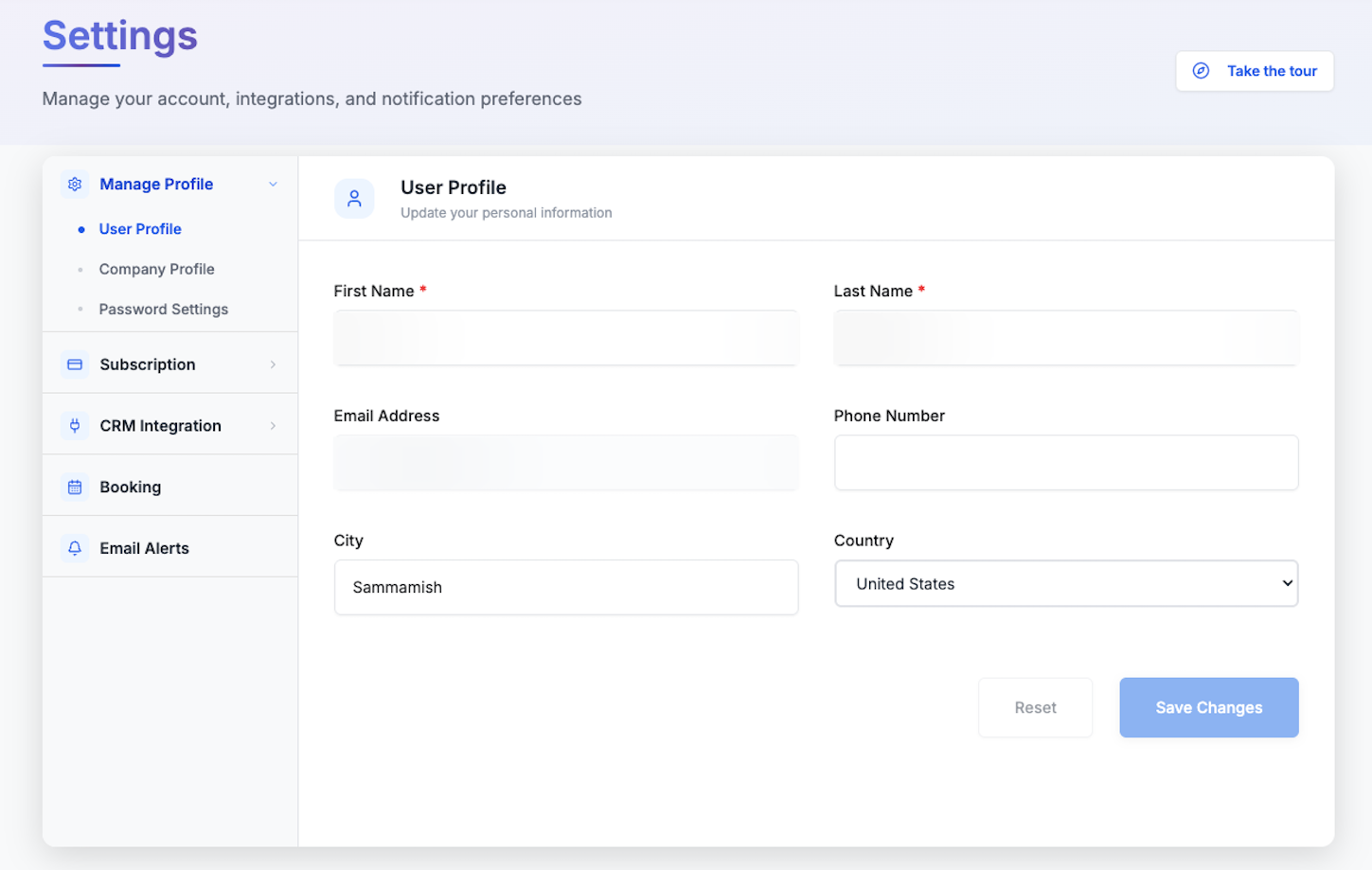
Below is the User Profile tab, with fields for your name, contact details, and location.
Personal Information
- First Name (required): Up to 50 characters; no numbers or special characters except hyphens/apostrophes.
- Last Name (required): Same rules as First Name.
- Phone Number (optional): Supports international format with country code, 10–15 digits.
Location Information
- City (optional): Letters, spaces, hyphens only.
- Country (optional): Dropdown list; changing may affect pricing and available features.
Non-Editable Fields
- Email Address: Locked for security; used as your primary account identifier. Contact support to request changes.
Validation Rules
- Required fields must be completed before saving.
- Invalid entries prevent saving until corrected.
Company Profile Tab
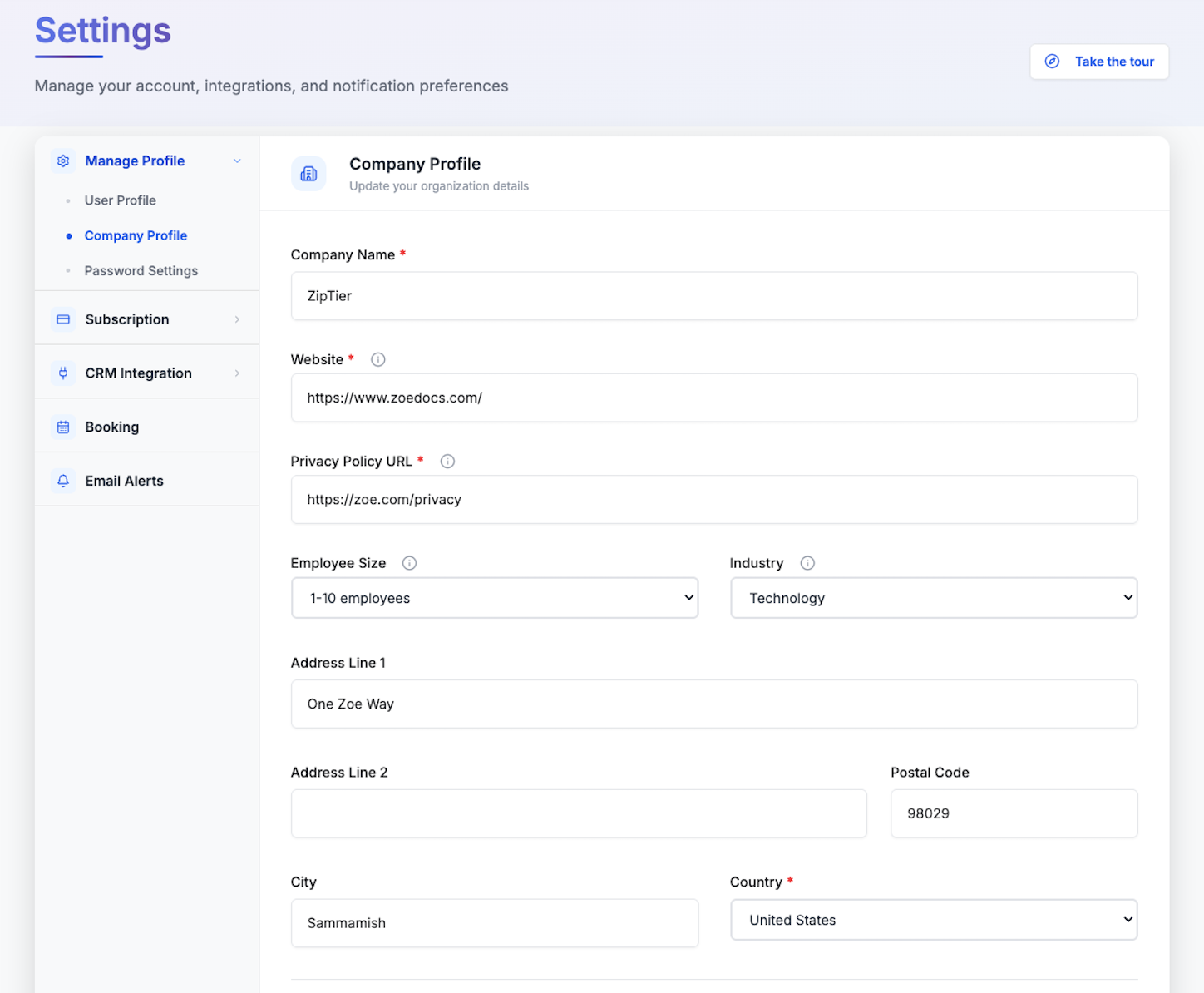
Below is the Company Profile tab, with fields for company name, website, size, industry, and address.
Company Information
- Company Name (required): Up to 100 characters; used in billing/contracts.
- Website (required): Web page link for your company.
- Privacy Policy URL (required): Used to collect user consent for use of the AI Assistant.
- Employee Size (optional): Dropdown from 1–10 to 1000+.
- Industry (optional): Dropdown for sector-specific tailoring and templates.
Company Location
- Address line 1 (optional)
- Address line 2 (optional)
- Postal Code (optional)
- City (optional): For tax and compliance.
- Country (required): Affects legal/regulatory compliance, payment methods, and features.
Password Settings Tab
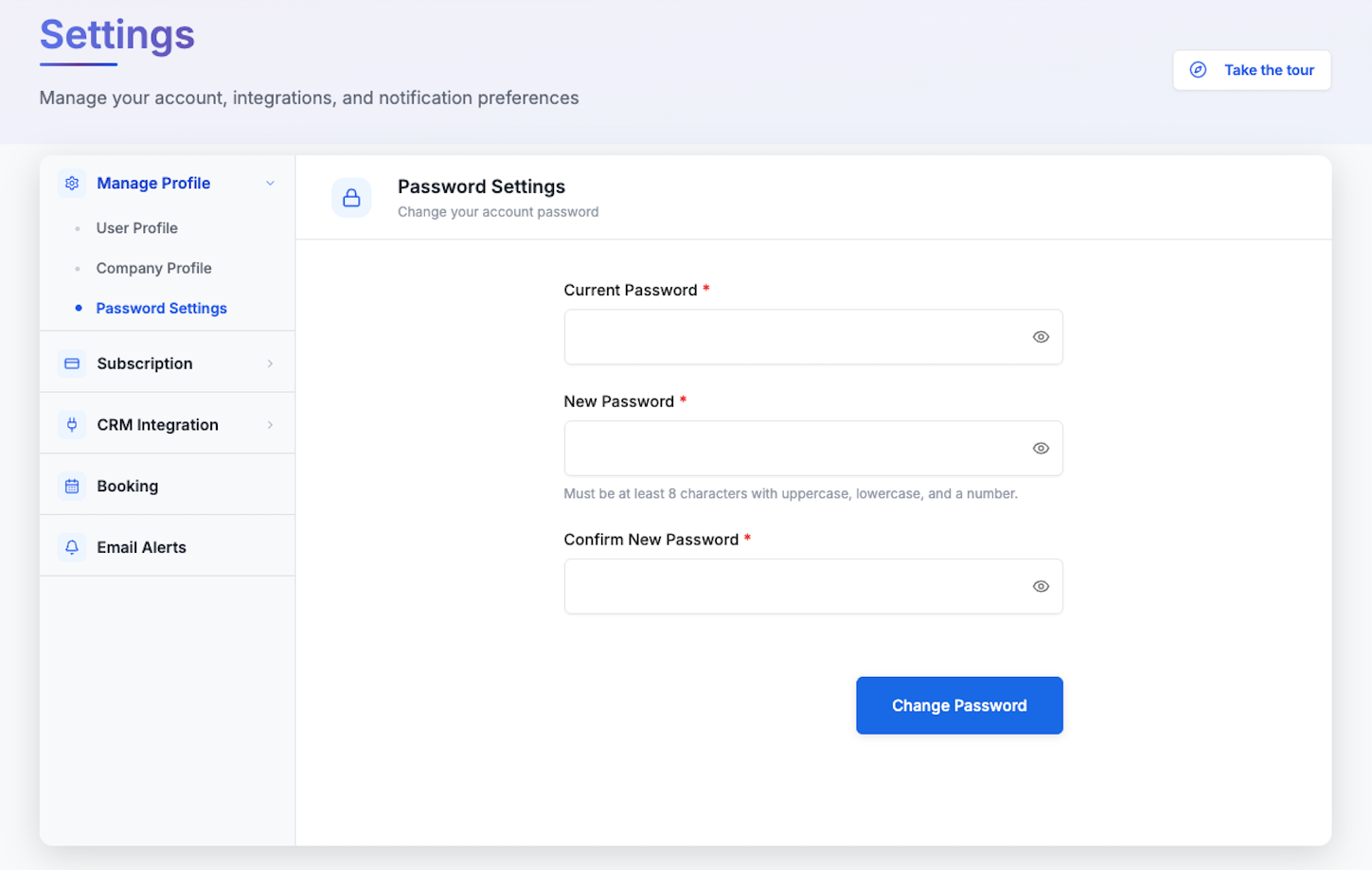
Change your account password from Manage Profile > Password Settings. You'll need your current password, plus a new password that's at least 8 characters with uppercase, lowercase, and a number.
Below is the Password Settings tab, where you enter your current and new password.
Error Handling
Common errors include:
- Required field missing: Fill out all required fields.
- Invalid phone number: Include country code and proper format.
- Company name exists: Add distinguishing text (e.g., location).
- Session expired: Refresh and log in again.
Best Practices
Profile maintenance is essential for accuracy and compliance.
Profile Maintenance
- Review and update quarterly.
- Update immediately after job role changes.
- Keep phone number and location current.
- Update company size annually and verify industry classification.
Security Considerations
- Use work contact details, not personal ones.
- Monitor for email change alerts.
- Report suspicious activity immediately.
Frequently Asked Questions
Can I change my email address?
No. Email is locked for security. Contact support@ziptier.com with details and verification.
How long do changes take to apply?
- Personal profile: Immediate
- Company profile: Immediate
- Country changes: Immediate
Can billing and company addresses be different?
Yes. Billing addresses are managed separately during the checkout flow.
What if I enter incorrect information?
- Minor errors: Correct immediately.
- Major errors (company name, country): May require support.
- False information: May result in account suspension.
Is my information shared?
No. Data is used only for account management, communication, compliance, and service improvement.
Troubleshooting
Changes not saving
- Verify internet connection
- Check required fields
- Clear browser cache
- Try another browser
- Contact support if problem persists
Validation errors
- Read error message carefully
- Confirm correct formatting
- Remove unsupported special characters
- Stay within character limits
Remember: Keeping your profile updated ensures smooth operations, accurate communication, and compliance with your organization's requirements.