Registration and Login
Getting started with ZipTier is quick and secure. You can create a ZipTier account using your work email address or a Google workspace account. With Google OAuth, you can sign up using your Google account with just a few clicks.
Signing Up for a New Account
Step 1: Start Registration
- On the ZipTier Home page, click on the Sign up / Login button. You can choose to register directly using your Work email or click Sign up with Google to use your Google account to sign up.
- If you choose to sign up with Google, you'll be prompted to log in with your Google account. Please use a Google Work account to register for ZipTier.
- ZipTier requests access to your basic profile details from Google:
- Email address
- Name and Profile picture
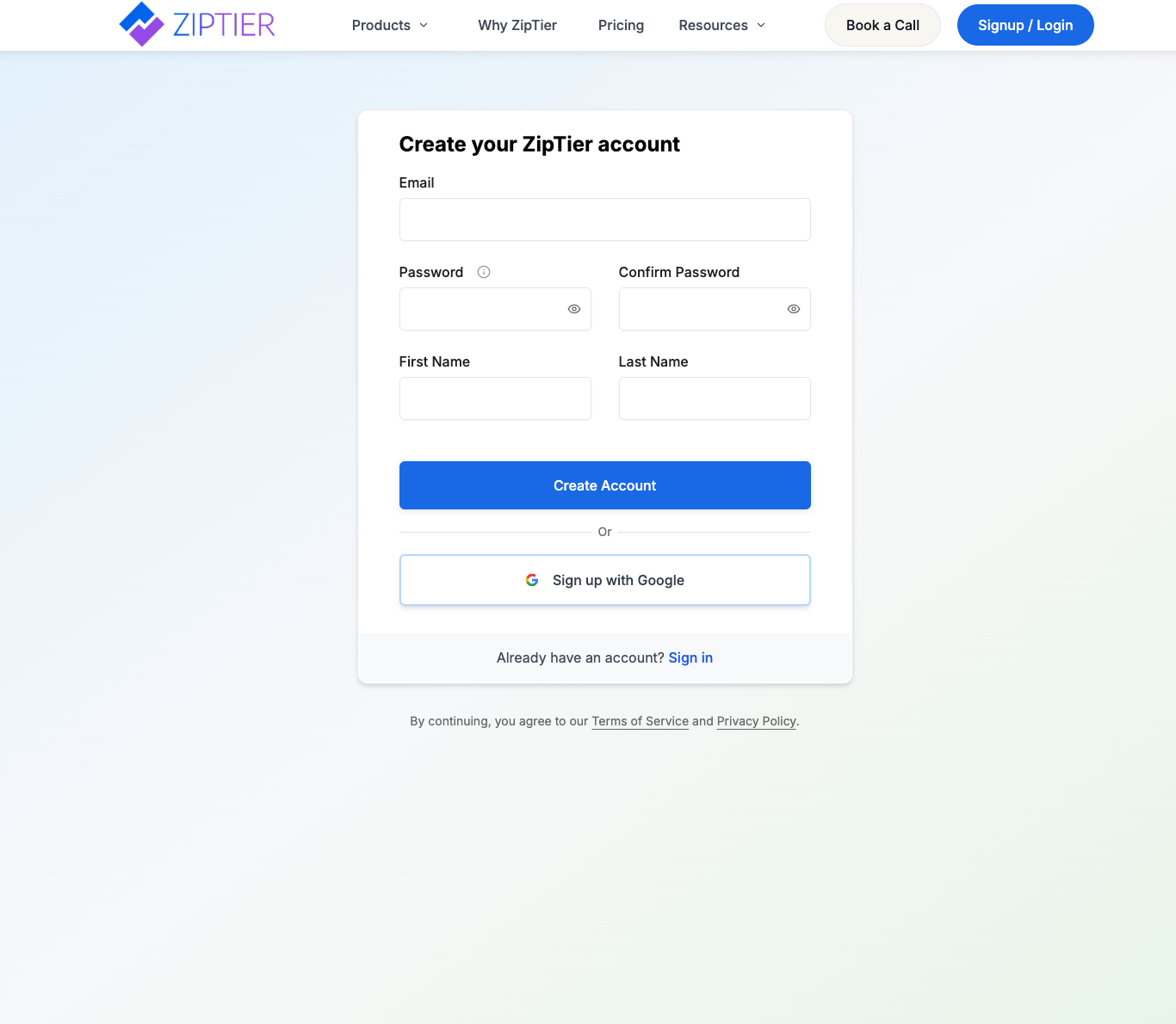
- Alternately, you can choose to sign up using your work email instead of Google. If you select this option, you will be asked to provide your work email and create a password. ZipTier will send a verification email to confirm your email address before you can complete the registration process.
Below is the account creation form, with email, password, name fields, and the Google sign-up option.
Step 2: Provide Company Details
After connecting your Google account (or verifying your work-email address), you'll land on the Company onboarding page that collects a handful of details before your account is created:
Below is the company onboarding page, collecting company name, website, and country before account creation.
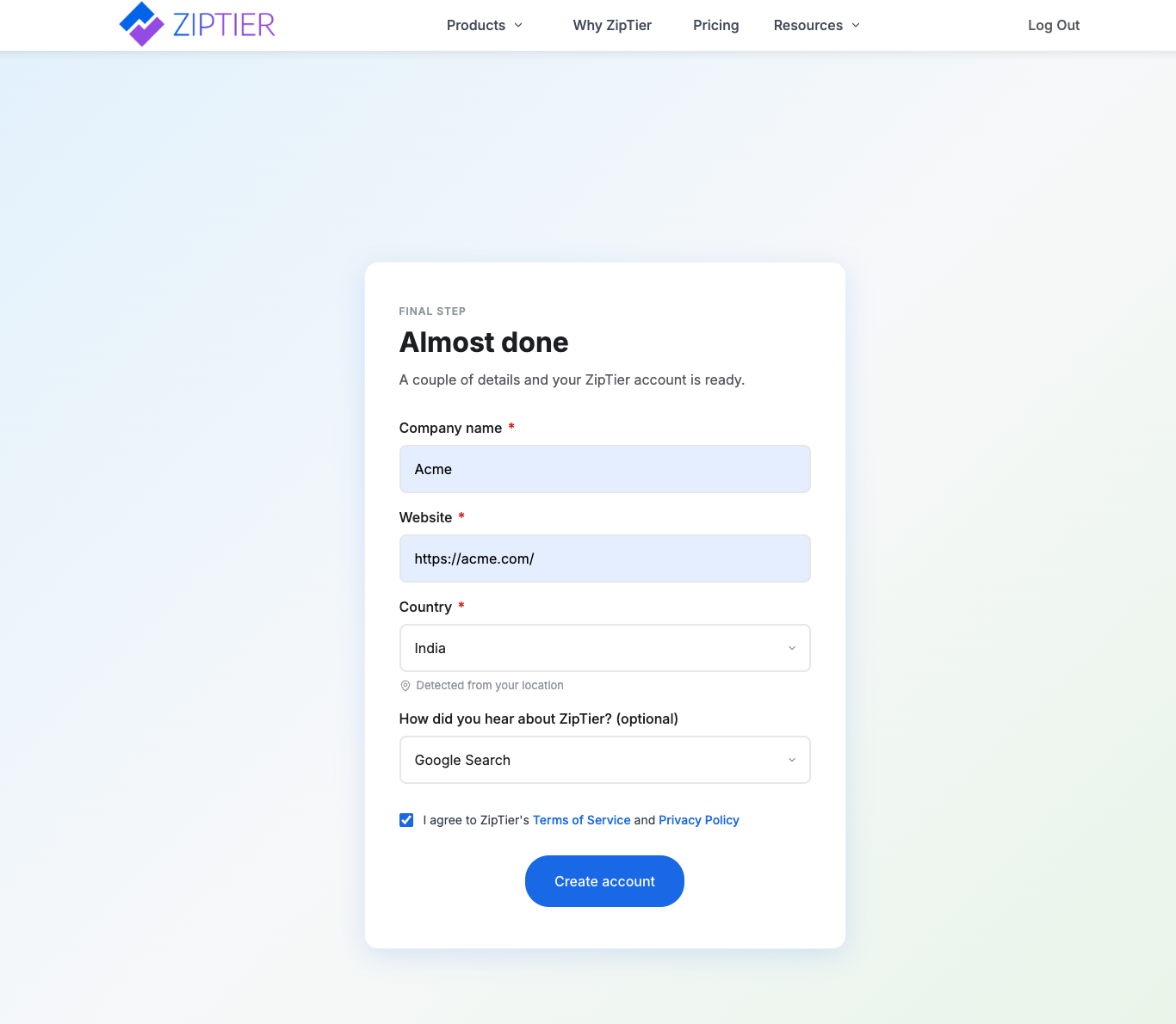
- Company name (required) – The official name of your business.
- Website (required) – The main website URL for your business (e.g.,
https://example.com). - Country (required) – Auto-detected from your location, so it's usually already filled in. Change it from the dropdown if the detection is off.
- How did you hear about ZipTier? (optional) – Choose from the dropdown (e.g., Google Search, LinkedIn Ad, Referral, Conference/Event).
- Terms & Privacy consent – Tick the box to agree to ZipTier's Terms of Service and Privacy Policy. You'll need to check this before the Create account button activates.
Click Create account to finish sign-up. Your ZipTier account is provisioned immediately on the Free plan, no credit card required. You can upgrade to Starter, Pro, or Premium at any time from Settings > Subscription > Manage Plan; see the Subscription Plans doc for the full comparison.
Step 3: Account Setup Complete
- Your ZipTier account is now ready.
- You'll land on the Welcome page and you will be logged in to ZipTier. You can start creating campaigns by clicking on Create My First Campaign on the welcome page.
Log in to an Existing Account
If you've already created an account:
- On the ZipTier home page, click Sign up / Login.
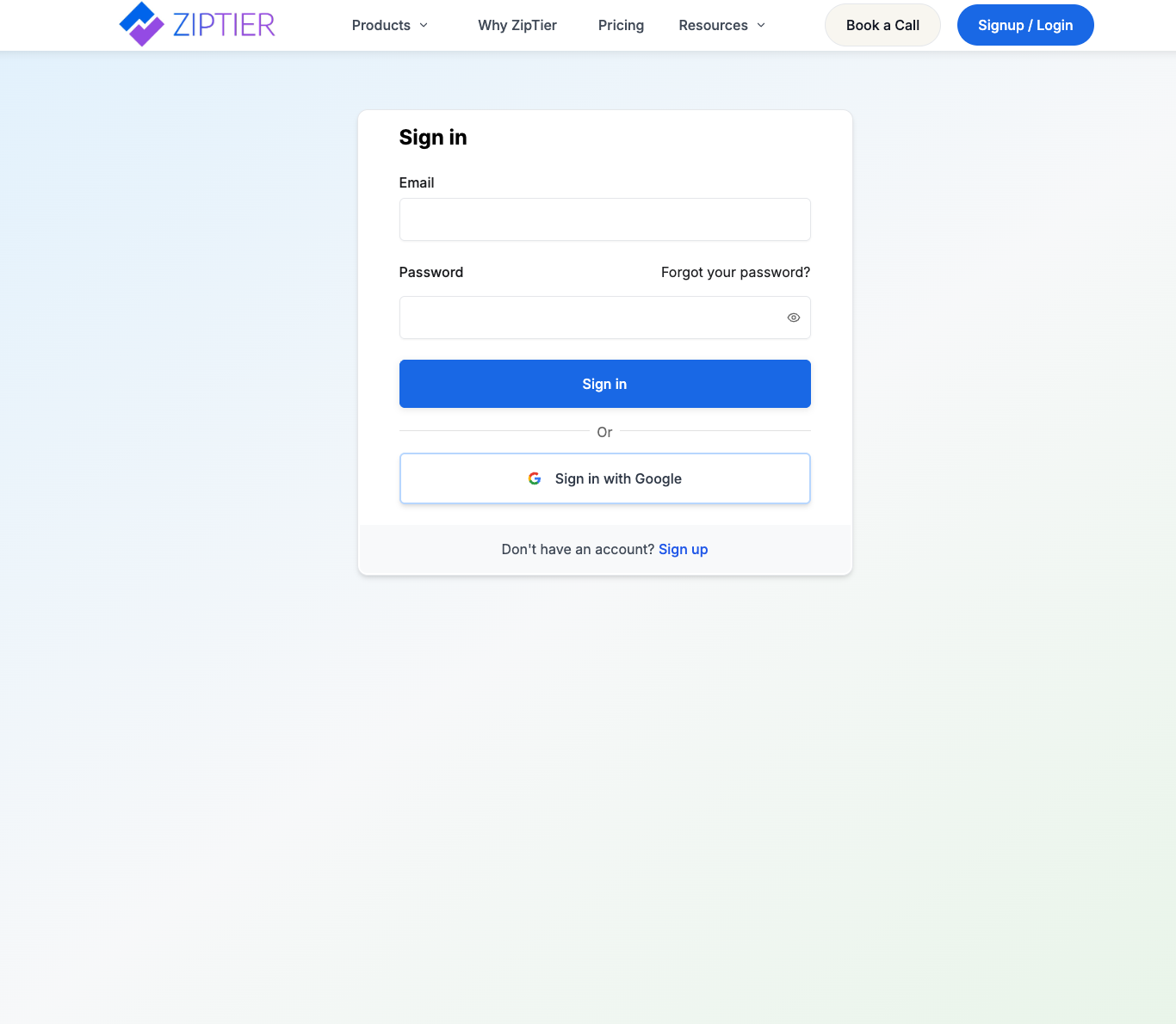
- On the registration/login page, click Sign in
- Select the same Work email or Google account you used during registration.
- You'll be redirected to your ZipTier account instantly.
Below is the sign-in page, with email/password fields and the Google sign-in option.
Security Notes
- ZipTier never stores your Google password: all authentication is handled securely via Google OAuth.
- If you change your email address in Google, you'll need to contact ZipTier Support to update your ZipTier account.
Tip: For the smoothest experience, use your work email account.