Website Embed
Embed the AI Assistant directly on your own website using a simple JavaScript widget. It adds a floating chat button that opens the full conversation interface without visitors leaving your site.
How It Works
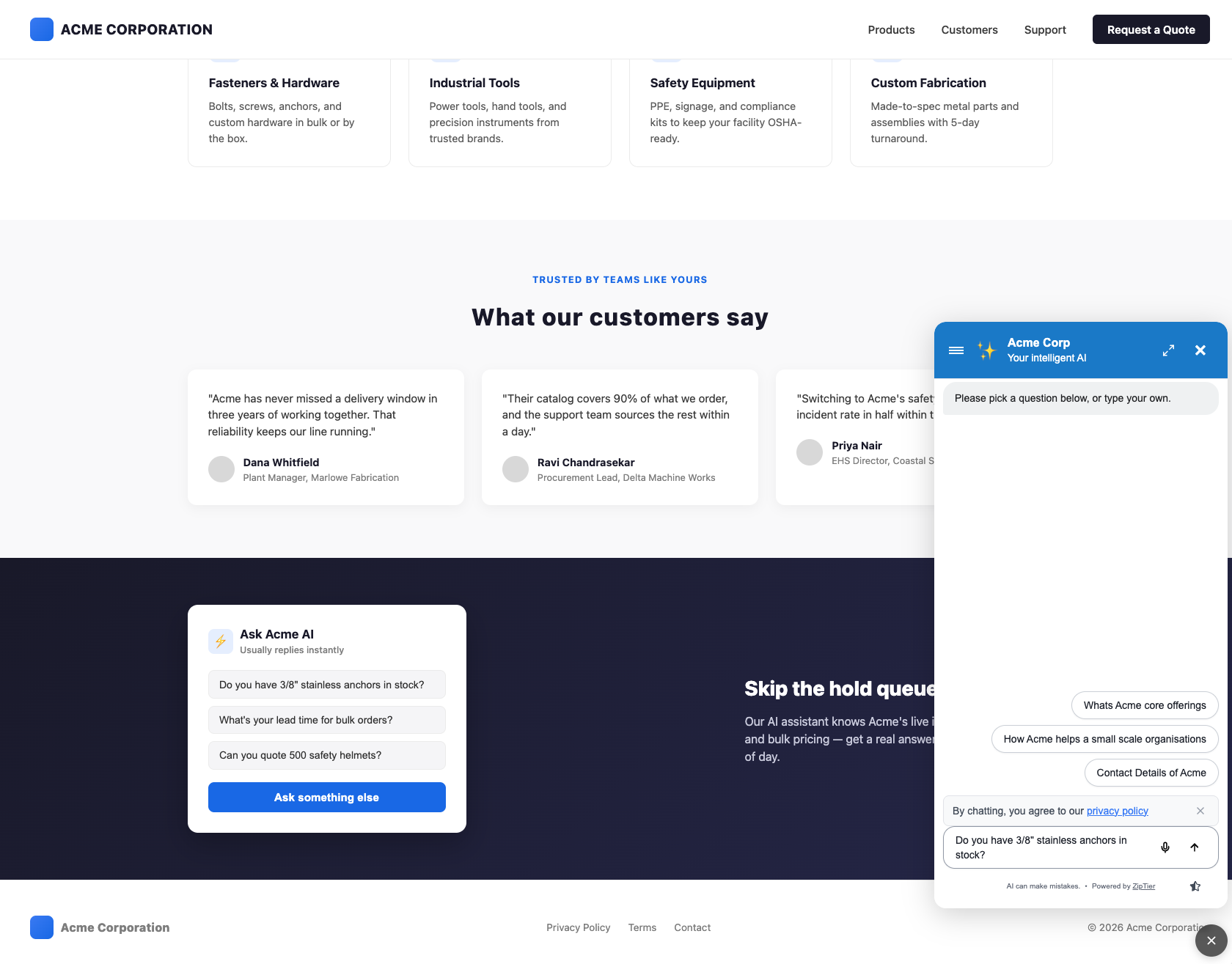
Add a single <script> tag to your website. The widget displays a floating button (customizable style, text, color, and position) that, when clicked, opens your AI Assistant in a modal overlay.
Below is the widget open on a live company website, showing the floating chat button expanded into the full conversation panel.
Basic Embed Code
<script
  src="https://chat.ziptier.ai/wgt/script/latest.js"
  data-chat-url="https://chat.ziptier.ai/bt/v1?id=1234567890"
></script>
Required Attributes
| Attribute | Description |
|---|---|
src | The ZipTier widget script URL. Always use the latest script URL provided. |
data-chat-url | The full URL of your AI Assistant campaign link. |
These two attributes are the whole tag, and they never change. Button style, colors, position, animation and chat window size are campaign settings, not attributes: set them under Launcher Design in the AI Assistant Customization step, and saved changes reach this tag's widget without you touching your site again. See the Platform Install Guides for step-by-step instructions on WordPress, Shopify, Webflow, Squarespace, and React / Next.js sites.
Where to Place the Script
Add the script tag just before the closing </body> tag so the widget loads after your page content:
<!DOCTYPE html>
<html>
<head>
  <title>Your Page</title>
</head>
<body>
  <!-- Your page content -->

  <!-- ZipTier AI Assistant -->
  <script
    src="https://chat.ziptier.ai/wgt/script/latest.js"
    data-chat-url="https://chat.ziptier.ai/bt/v1?id=1234567890"
  ></script>
</body>
</html>
Advantages
- Seamless experience. Visitors stay on your website.
- Contextual help. Provide assistance exactly where users need it.
- Brand consistency. The AI Assistant appears as part of your site.
- Multiple pages. Add it to any page on your site with the same snippet.
- Customizable appearance. Four launcher styles and full color and font control.
Next steps: Customize the widget button, install on your platform, or add custom trigger elements to launch the same widget from your own buttons and cards.