Managing Your Subscription
ZipTier gives you full control over your subscription. You can view your current plan and usage, upgrade or downgrade your plan, or cancel your subscription at any time. To access your subscription settings, click your profile avatar in the top-right corner of any page and select Subscription from the menu. You can also reach these settings via Settings > Subscription in the sidebar.
Plan Overview
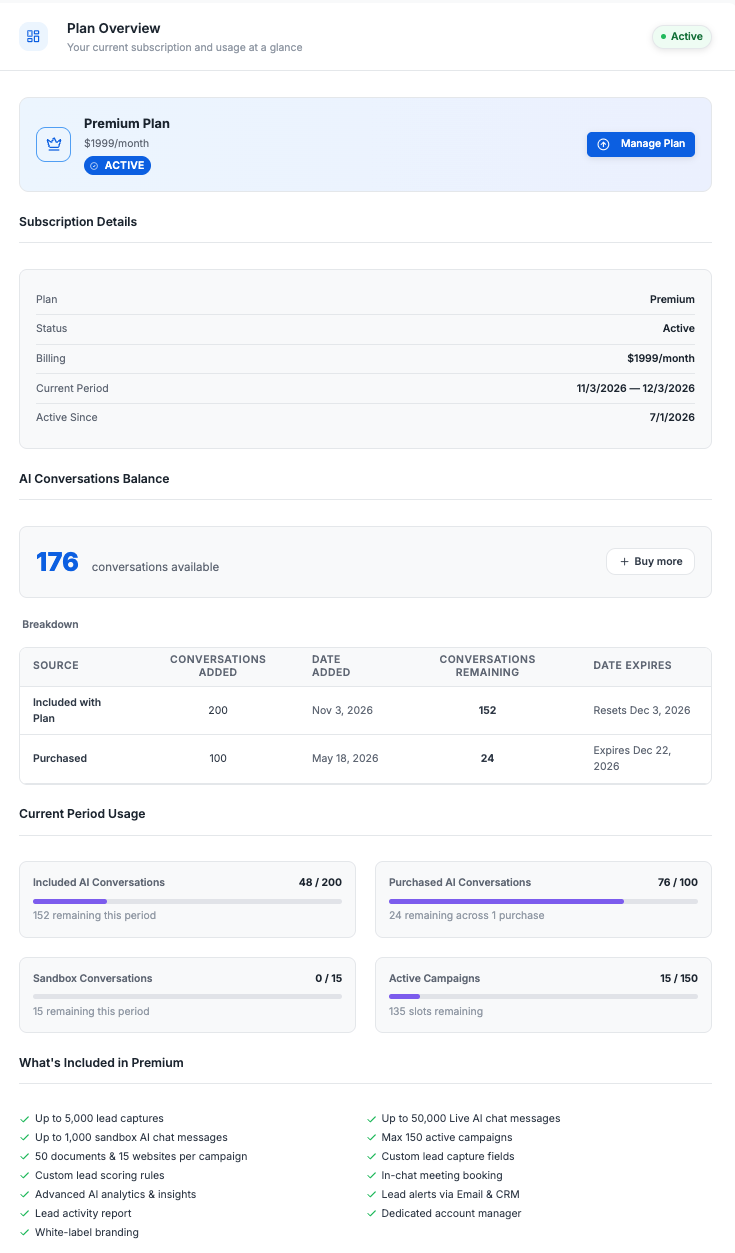
The Overview page gives you a snapshot of your current subscription and usage at a glance.
Below is the Plan Overview page, with usage meters and subscription details for the current plan.
What You'll See
- Current Plan: Your plan name, price, and status (Active, Canceled, etc.).
- Current Period Usage: Visual progress bars showing how many AI Conversations, Sandbox Conversations, and Active Campaigns you've used versus your plan limits.
- Subscription Details: A summary table with your plan name, status, billing amount, current billing period, and the date your subscription became active.
- What's Included: A full list of features and limits for your current plan.
Manage Plan
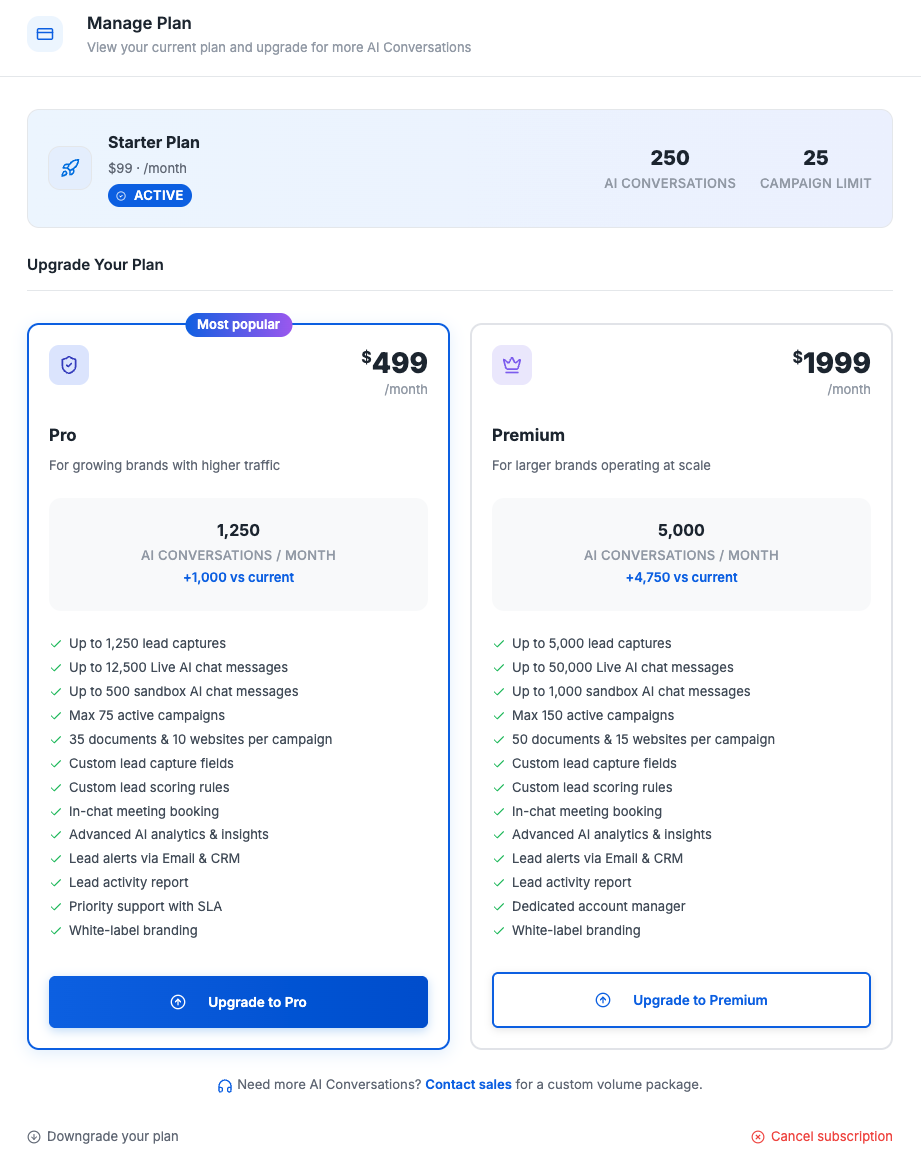
The Manage Plan page lets you change your subscription. From here you can upgrade to a higher plan, downgrade to a lower plan, or cancel your subscription.
Below is the Manage Plan page, showing the current plan alongside upgrade options.
Upgrading Your Plan
Upgrades are processed immediately. When you click an upgrade button (e.g., "Upgrade to Pro"), a confirmation dialog shows you exactly what changes:
Below is the upgrade confirmation dialog, detailing the plan change and what you get.
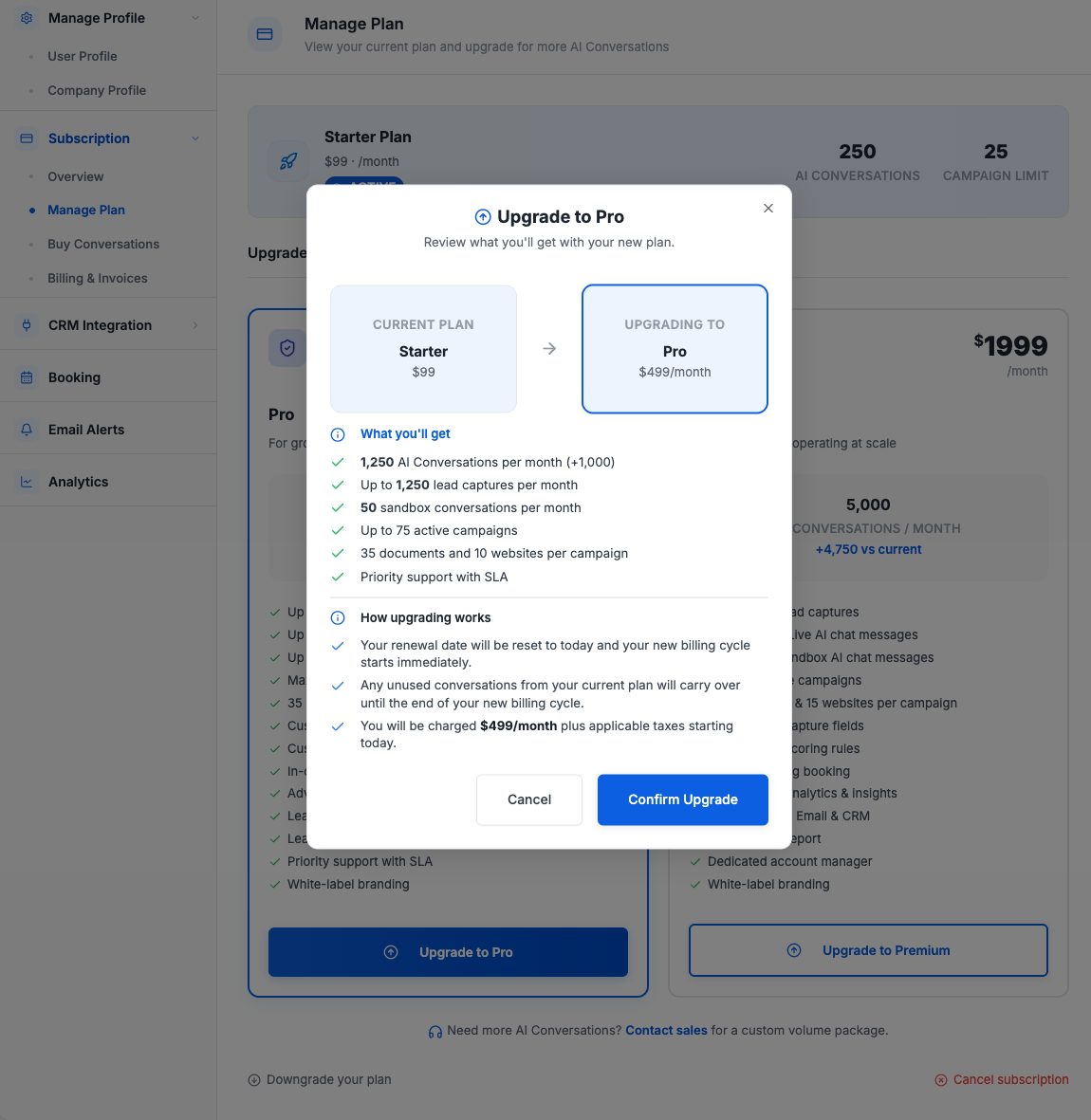
Here's what happens when you upgrade:
- Immediate activation: Your new plan's features, higher limits, and additional AI Conversations are unlocked right away.
- New billing cycle: Your renewal date resets to today and a new monthly billing cycle starts immediately.
- Charge: You'll be charged the new plan's monthly rate (plus applicable taxes) starting today.
- Credit carryover: Any unused AI Conversations from your prior paid plan carry over to the new cycle and expire at the end of the new billing cycle.
Note: Credit carryover applies only when upgrading from one paid plan to another. Conversations from the Free plan do not carry over.
Downgrading Your Plan
Downgrades are scheduled for the end of your current billing cycle. This means:
- You continue to enjoy your current plan's features and limits until the cycle ends.
- At the start of the next cycle, your plan switches to the lower tier and new limits take effect.
- Your AI Conversation allowance resets to the lower plan's allocation.
- Existing campaigns are not disrupted. If you currently have more active campaigns than the lower plan allows, they will continue to run. However, you won't be able to create new campaigns until you bring your total active count below the lower plan's campaign limit.
Canceling Your Subscription
Cancellations are scheduled for the end of your current billing cycle. You can cancel from the Manage Plan page by clicking Cancel subscription at the bottom of the page.
- Your account remains fully functional until the end of the current billing period.
- After cancellation takes effect, your subscription is canceled. You will no longer be able to create new campaigns, and all existing campaigns will be set to a Closed state.
- Your account enters a read-only state for 90 days, during which you can still log in and view your data (campaigns, analytics, leads, etc.) but cannot make changes.
- After the 90-day read-only period, your account data will be permanently cleaned up and removed.
Tip: If you change your mind during the read-only period, you can resubscribe to any plan to restore full access to your account.
Stripe Checkout
When you select a paid plan (either during registration or when upgrading to a paid plan for the first time), you'll be taken to a secure Stripe-hosted checkout page to enter your payment details.
Below is the Stripe-hosted checkout page, showing the selected plan price and payment form.
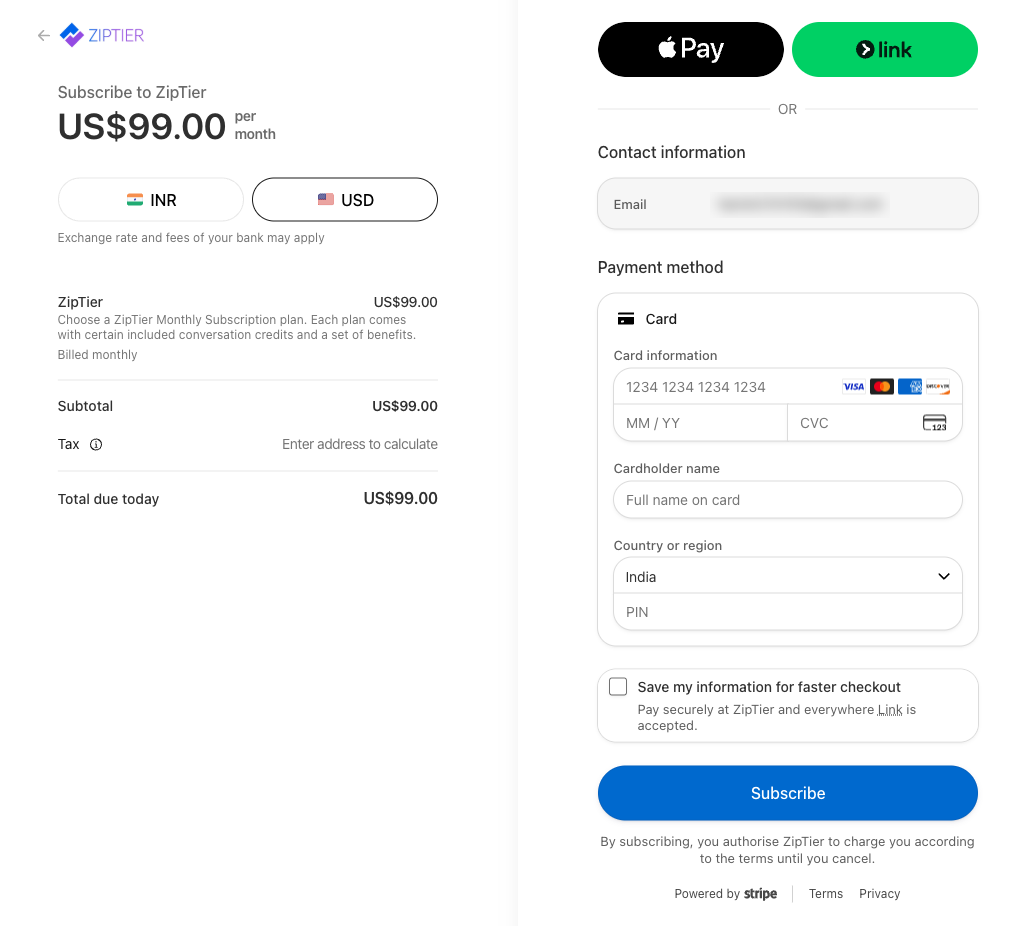
- ZipTier supports credit and debit cards (Visa, Mastercard, Amex, etc.) and Link.
- You can choose to pay in USD or your local currency. Exchange rates and fees from your bank may apply for non-USD payments.
- Your payment information is stored securely by Stripe: ZipTier never sees or stores your payment details.