Email Alerts
Email Alerts keep you and your team informed about important events without having to check the dashboard. Find it at Email Alerts in Settings.
Below is the Email Alerts settings page, showing the High-Scoring Lead Detected and Marketing Emails toggles alongside the recipient email field.
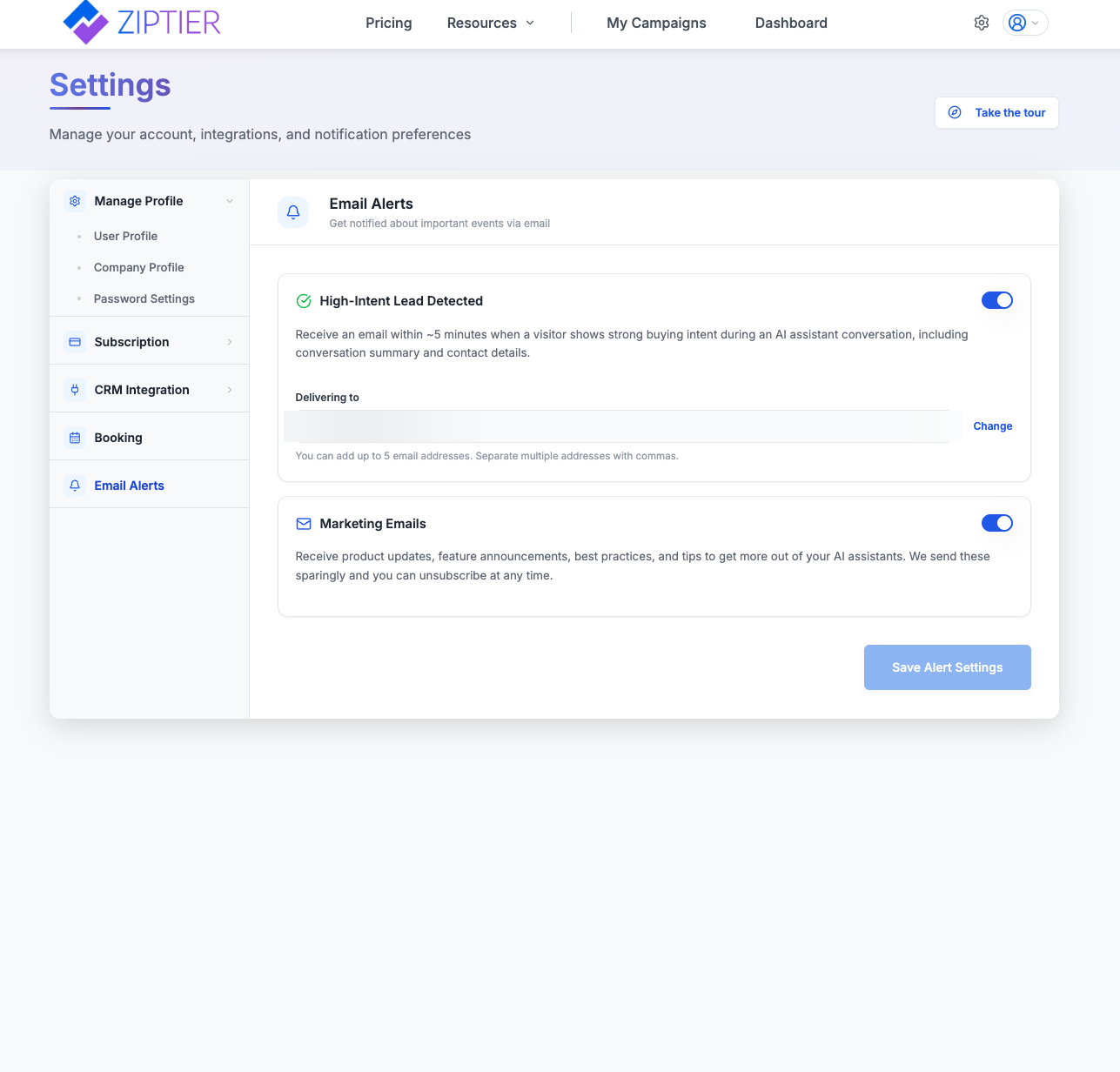
High-Scoring Lead Detected
Receive an email within ~5 minutes when a visitor scores high on fit and intent during an AI Assistant conversation, including a conversation summary and the lead's email address, masked with asterisks for privacy. Open the lead in ZipTier to see the full contact details.
Delivering To
You can add up to 5 email addresses. Separate multiple addresses with commas, useful for routing high-scoring lead alerts straight to sales or account management inboxes.
Marketing Emails
Receive product updates, feature announcements, best practices, and tips to get more out of your AI Assistants. These are sent sparingly and you can unsubscribe at any time.
Tip: Toggle off Marketing Emails if you only want transactional alerts like High-Scoring Lead Detected; the two are controlled independently.